
9 custom Google Analytics alerts for e-commerce
Today’s article is about custom alerts, which are extremely helpful when running an online business. Whether you are a business owner or someone managing a client’s business, alerts will be useful to you. In this article, you will learn:
Table of contentsExpand
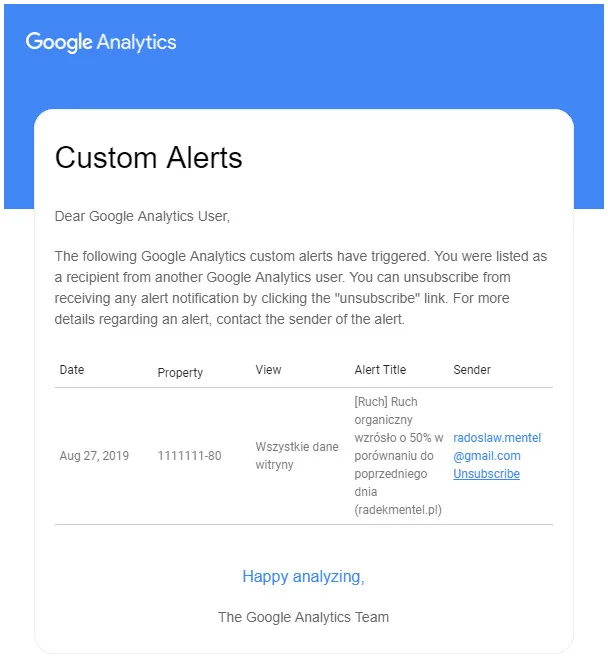
What custom alerts are for and how they can help you
I imagine you have plenty on your plate: order fulfillment, negotiations with suppliers, complaints, settlements with ZUS and the Tax Office. You simply do not have enough time for daily or weekly data analysis in Google Analytics. However, if you run an online business, you need to monitor the condition of your website.
I also do not start my day by launching this analytics tool, although I currently monitor several dozen websites; I prefer to launch Semstorm. To keep your finger on the pulse, it is worth configuring custom alerts! They will notify us when something interesting is happening on our website. This may be a huge increase in traffic, technical issues such as the appearance of many pages with a 404 error, a drop in sales, or an increase in the number of sessions from social media.
Real-life examples
It is better to know quickly that something is going wrong with our website. I know examples from the largest portals such as onet.pl or wp.pl, where developers pushed an update to production and the Google Analytics script disappeared during the process. There are so many changes during the „life” of a website or online store that the chance of losing the code is really high, regardless of whether these are changes after an SEO audit or adapting the store to mobile devices.
If the Google Analytics script is accidentally removed during a website update, your data will be lost forever. You have no chance of recovering it. If you were running campaigns during this period, you will have no material for analysis.
The second case I encounter all the time is blocking the test environment from being indexed by Google robots by adding a noindex tag for the entire website.
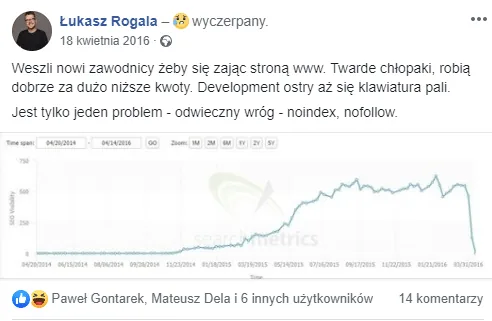
The third case is blocking robots’ access to the website, defined in the robots.txt file
Very often, after an update, the noindex tag or the robots.txt file is moved to production. This is a good case: after a few days or weeks, terrified store owners realize that their domain has disappeared from search results. Usually, however, the SEO agency monitoring the results of its work in external tools notices it sooner.
Alerts are a wonderful feature that, for some reason, very few people use. Make your life easier and configure reports today!
Naming conventions
A naming convention is a key aspect of configuring advertising campaigns and Google Analytics (GA). In custom alerts, use square brackets; if you manage more than one website, include it in the alert name as well. For example:
- [Alert] Increase in the number of pages with a 404 error day by day (skiteam.pl)
- [Alert] Average time on site decreased by 50% week to week (skiteam.pl)
- [Google Ads] Bounce rate is over 70% day to day (skiteam.pl)
- [Goal] Conversion rate decreased by more than 20% on the same day in the previous week (skiteam.pl)
- [Goal] Conversion rate increased by more than 20% compared to the same day in the previous week (skiteam.pl)
- [Facebook] Revenue increased by more than 10% compared to last week
- [Traffic] Organic traffic decreased by 50% compared to the previous day (skiteam.pl)
- [Google Ads] Impressions decreased by more than 20% week to week (skiteam.pl)
- [Google My Business] No traffic (skiteam.pl)
Such a convention will make it perfectly clear to you tomorrow and a year from now what the alert relates to. Careless alert names will certainly not help you in the future.
Do not let these sample alert types limit you. Think about the metrics that are crucial for your business. Even if you do not launch Google Analytics every day, you will receive information when something interesting happens.
Custom alert configuration
Configuring alerts is so incredibly simple that it is a cardinal sin for any marketer to neglect this feature! Just look how easy it is.
Where to configure custom alerts
Sample alerts and their configuration
[Alert] Increase in the number of pages with a 404 error by 5%
You will receive this alert when users start landing, whether from an ad or from organic results, on a page that does not exist and generates a 404 error. This may happen when you remove a product from your offer, but the ad remains active, or the page remains visible in organic results and you have not created a redirect for it.
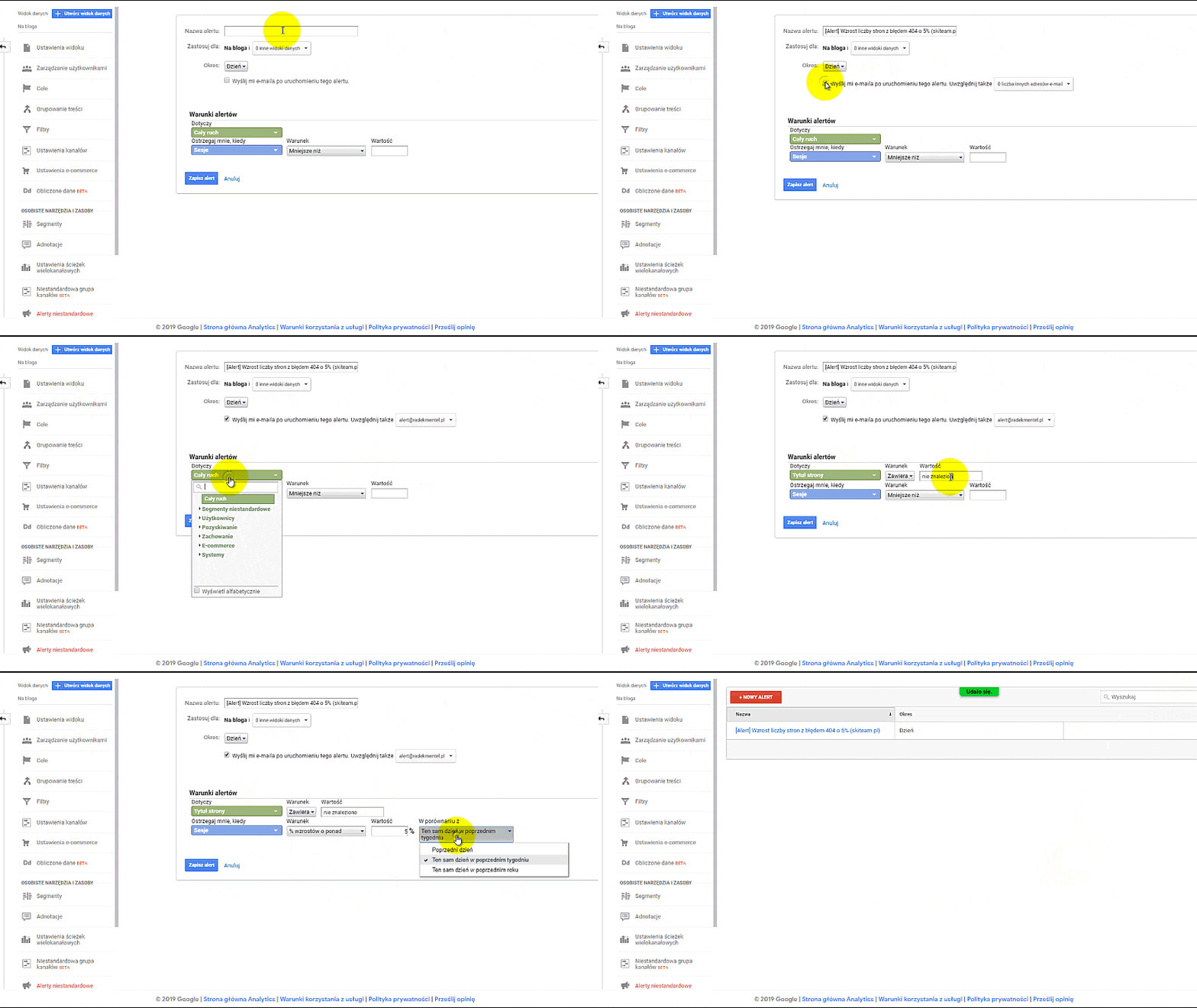
[Alert] Average session duration decreased by 50% week to week
You are certainly interested in whether traffic on your website is dropping sharply. I used as much as 50%, but I think that even 20% is already an important signal that something worrying is happening. It is worth checking. Usually, average session duration goes hand in hand with an increase in the bounce rate. It is possible that a problem with the content on your website has appeared.
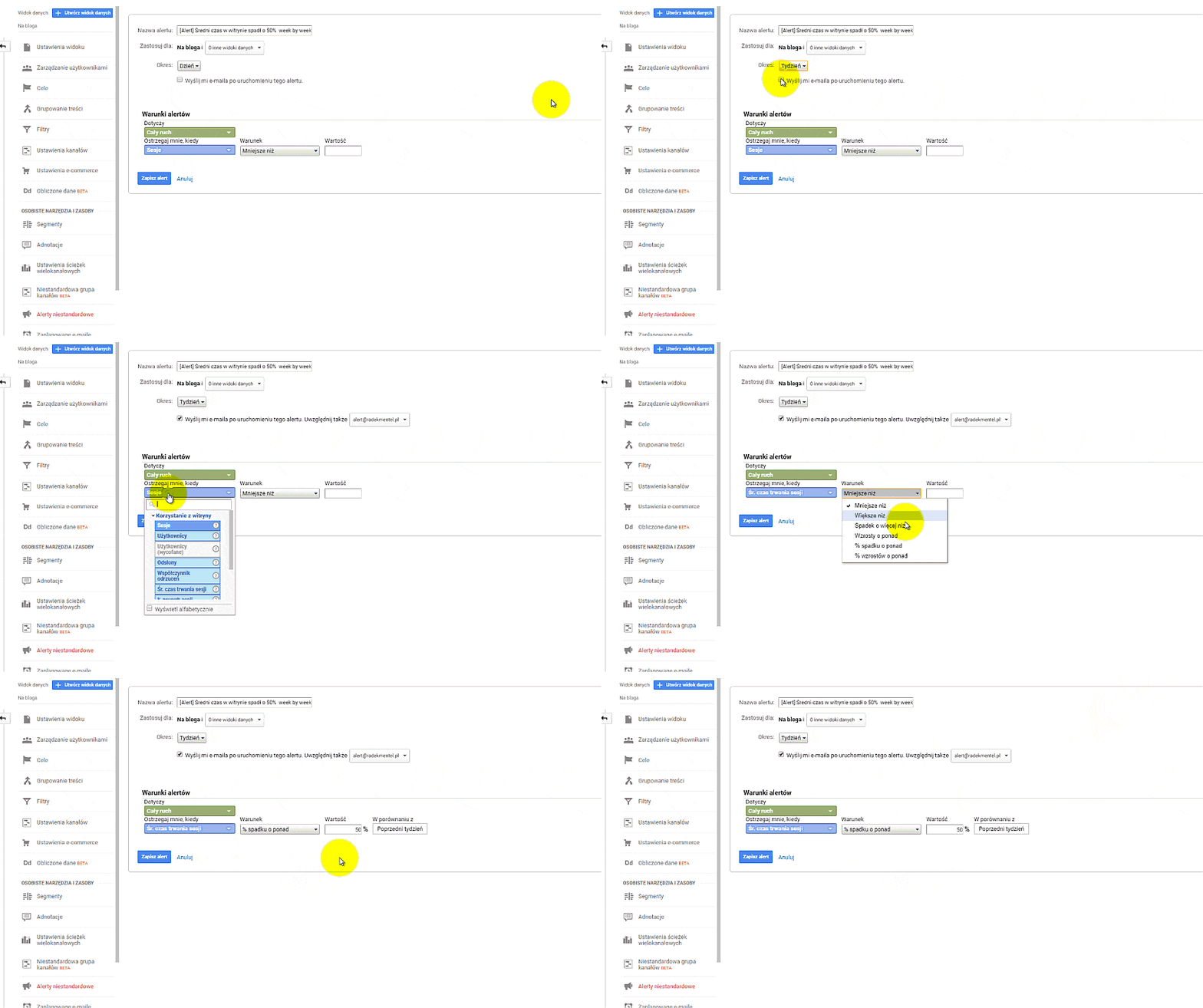
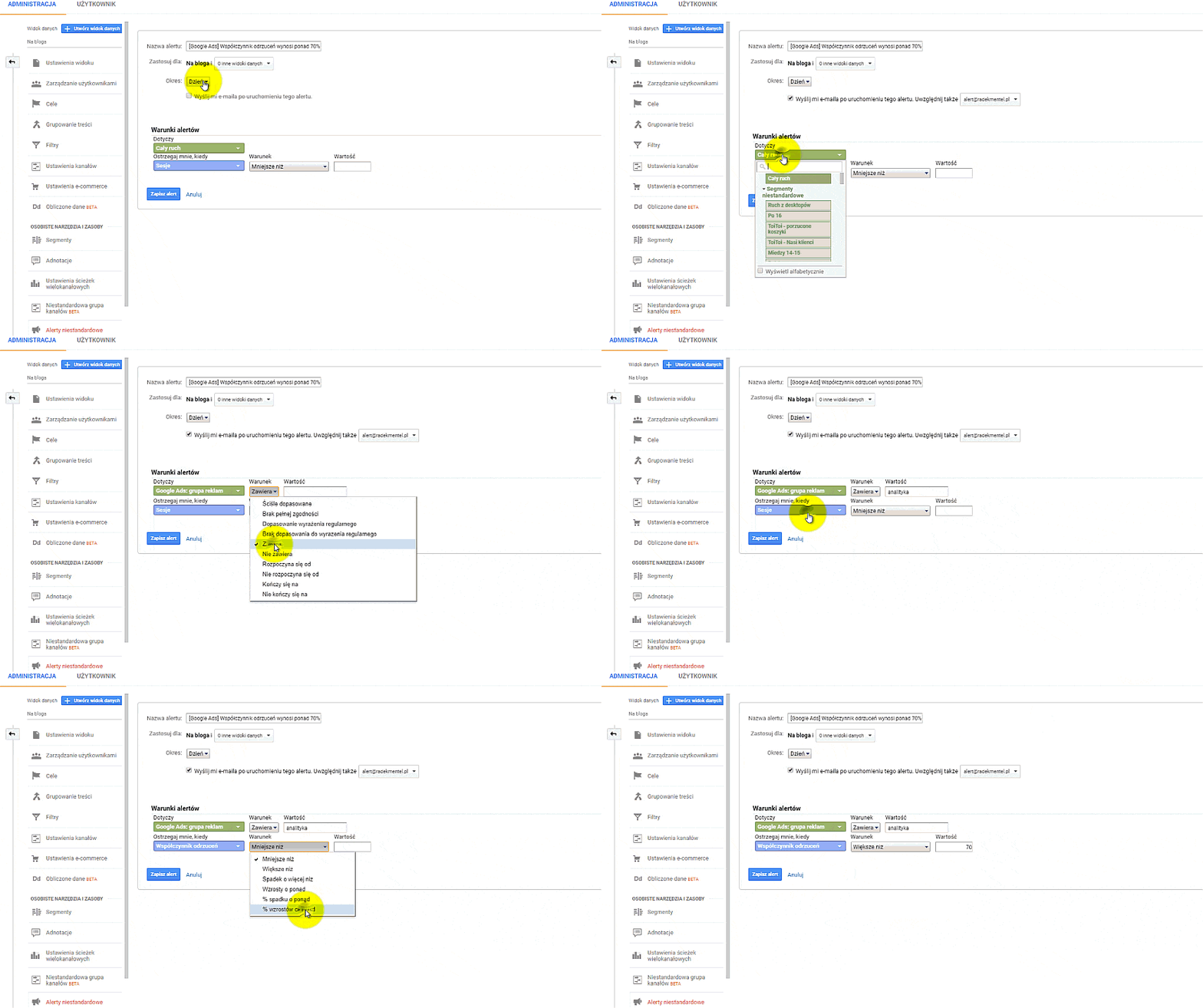
[Google Ads] Bounce rate is over 70% day by day
When launching a campaign, we want to know how effective it is, and one of the important metrics is the bounce rate. If it is high, it may mean that we are misleading the customer. They do not find what they expected on the landing page. It may also indicate a problem with the content or with adapting our website to mobile devices. You definitely need to know the answer to this question.
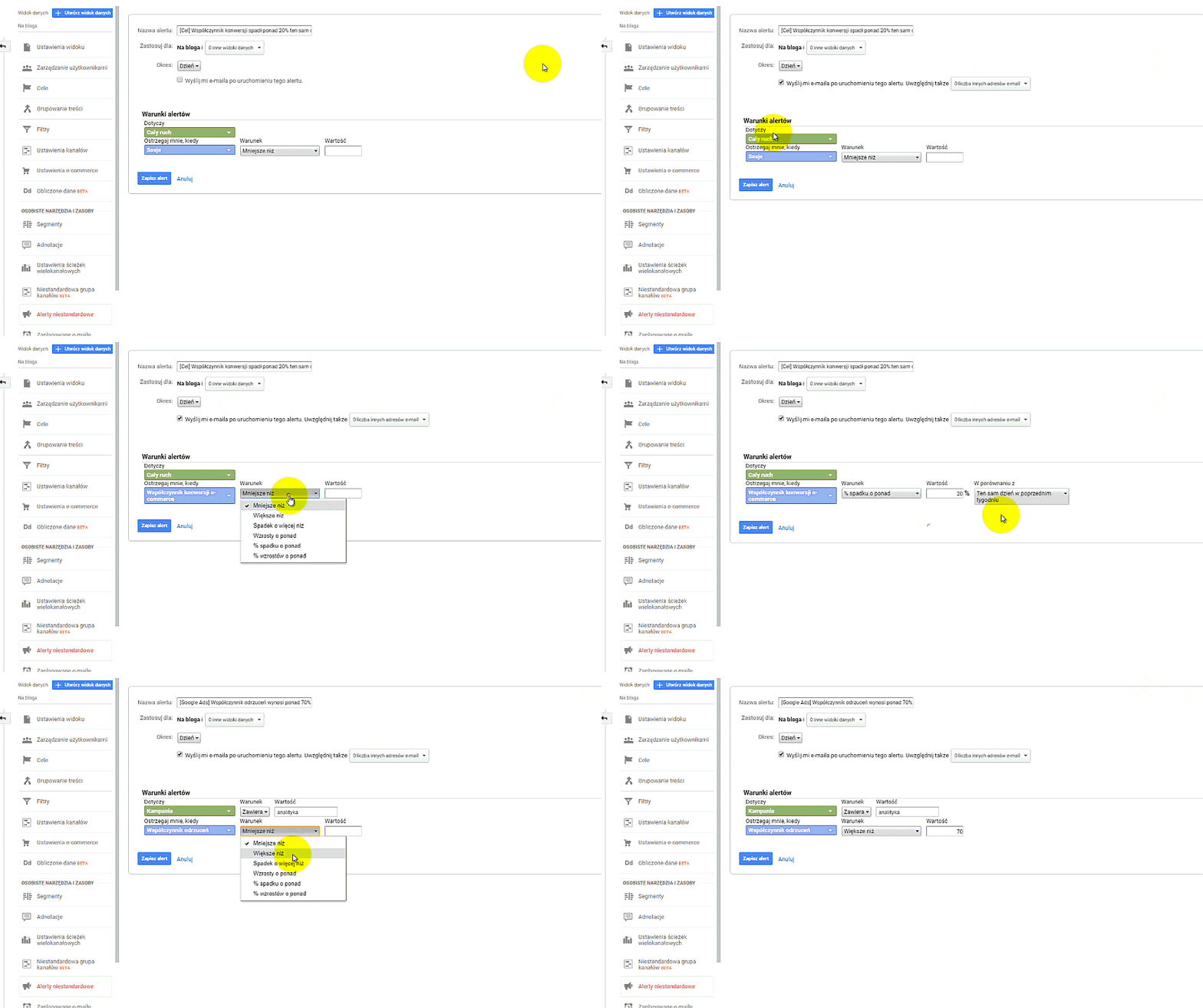
[Goal] Conversion rate decreased/increased by more than 20% on the same day in the previous week (skiteam.pl)
You can set an alert when the e-commerce conversion rate drops by 20% or more, or when it increases by a certain percentage. If the website’s visibility has not changed significantly and advertising campaigns have been running for a long time, you need to look for the reason behind this change. Perhaps a competing store with a similar range of products has appeared; perhaps the competition is giving out discount codes. Perhaps the cost per click or conversions has risen significantly, and the same campaigns are bringing in fewer purchasing users. Also remember seasonality, holidays, and long weekends.
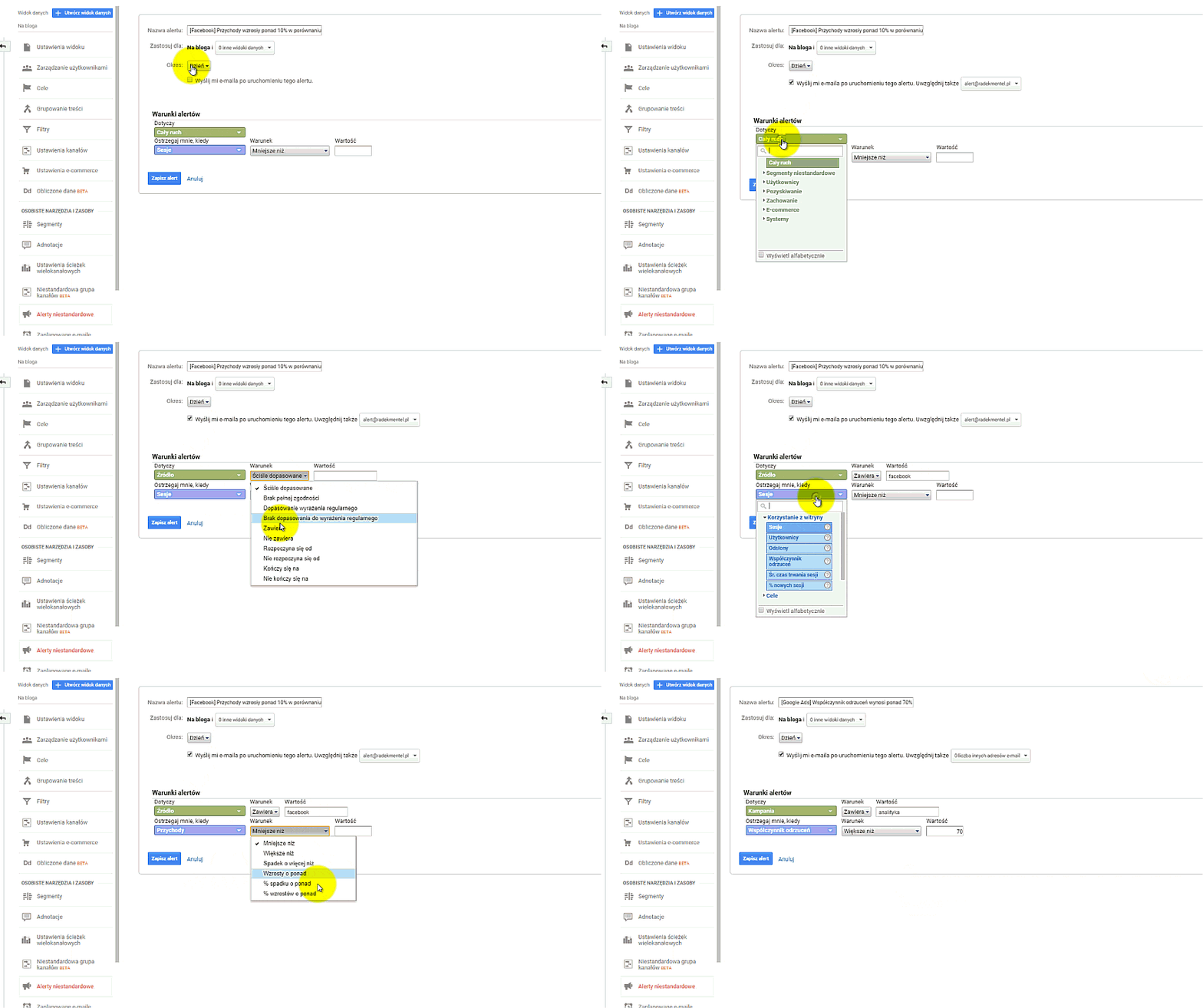
[Facebook] Revenue increased by more than 10% compared to last week
This is one of the alerts you will be pleased to receive. You can receive reports for specific traffic sources. Receiving alerts is not always associated with threats. Unfortunately, alerts do not indicate what caused the increase in sales. But after receiving such information, you will be happy to log in to Google Analytics to analyze the situation.
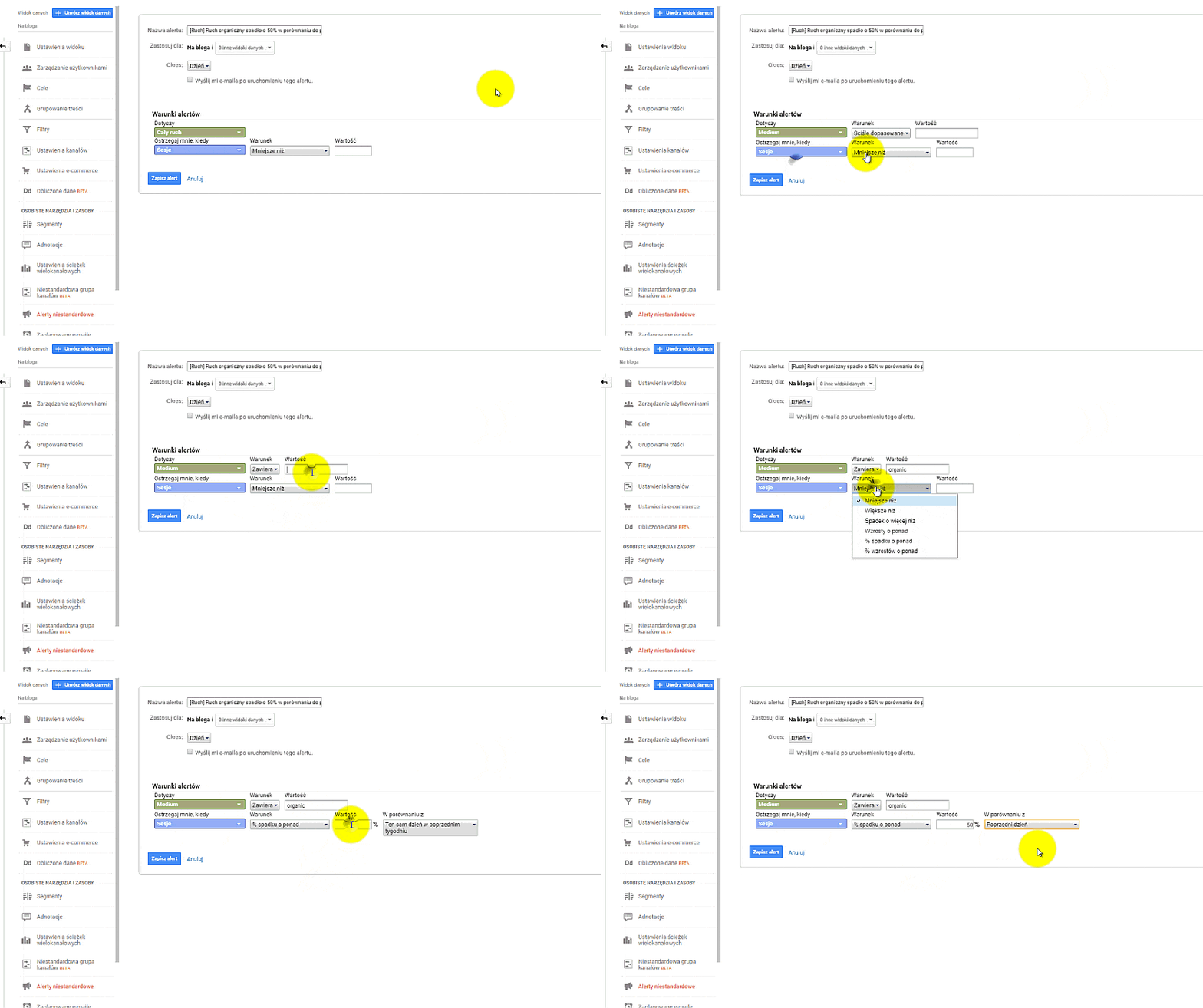
[Traffic] Organic traffic decreased by 50% compared to the previous day (skiteam.pl)
Especially if you have outsourced SEO activities to an external agency, this alert will come in handy for checking the effectiveness of its work. Sometimes, however, when your team of developers pushes a project to production with a noindex tag or a robots.txt file in which access for Google robots to your website is blocked, you can expect it.
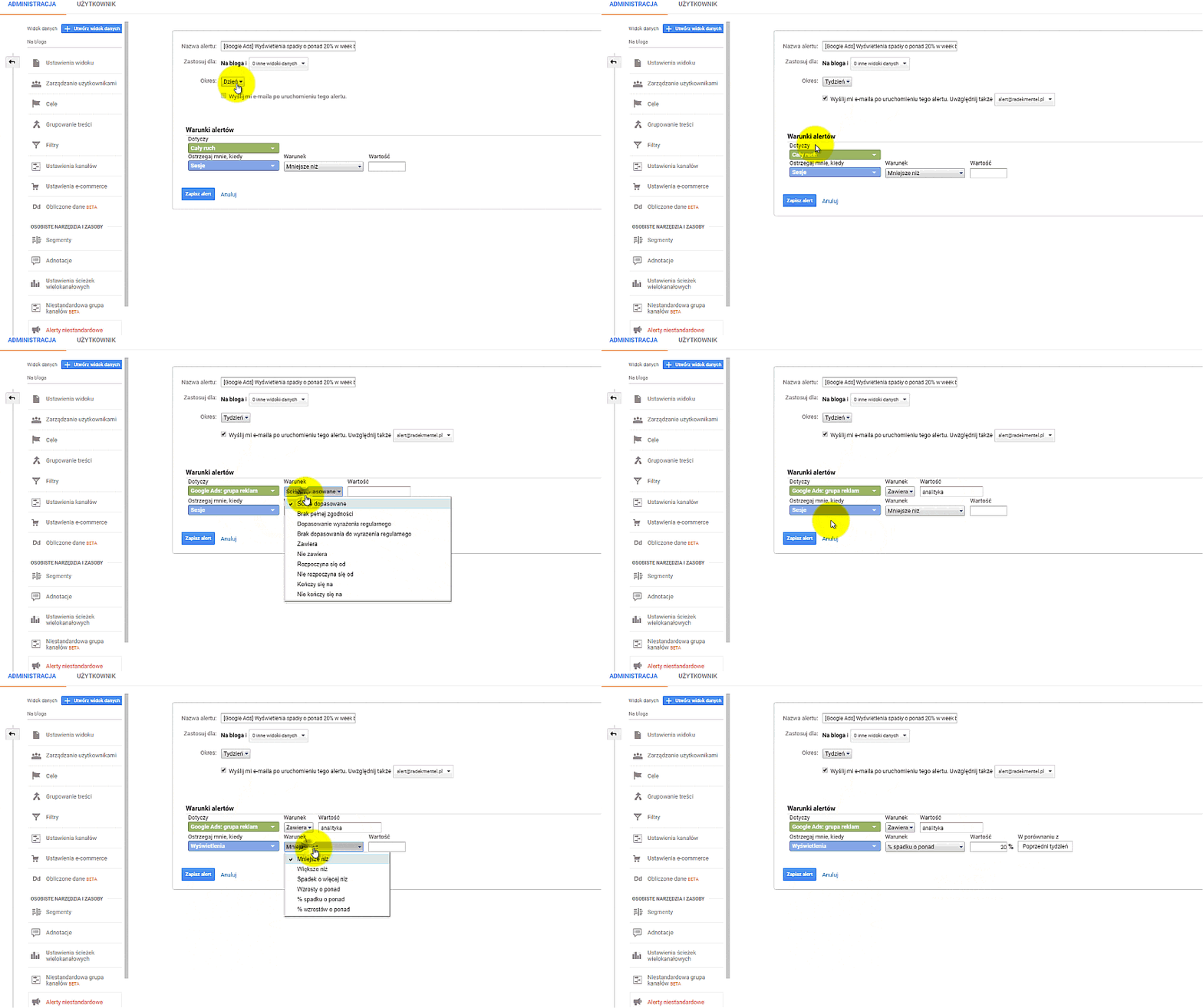
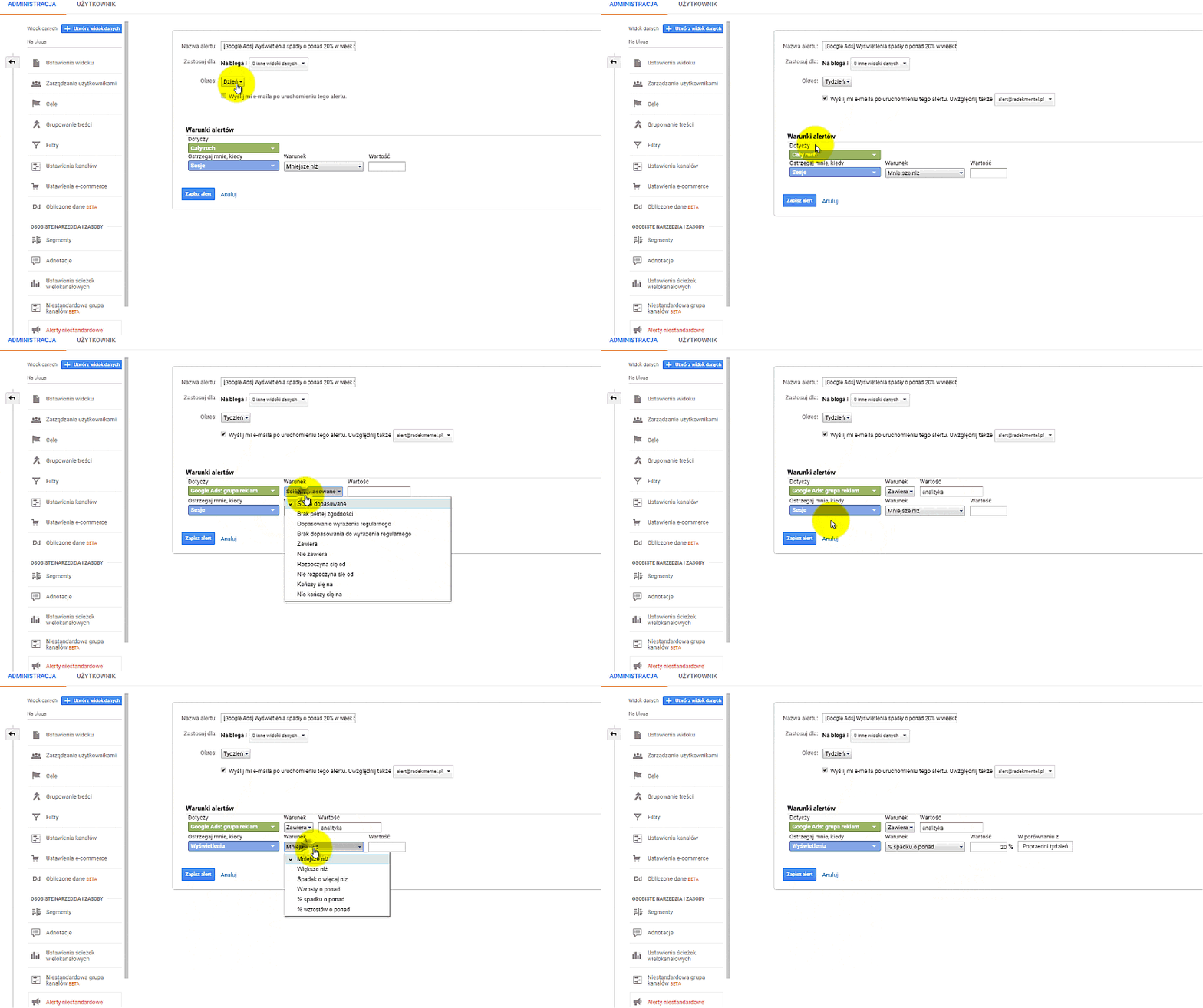
[Google Ads] Impressions decreased by more than 20% week to week (skiteam.pl)
This usually happens when our competitors increase bids, a new player appears, or our quality score drops. This is a very important metric, so when running a Google Ads campaign, you need to monitor it.
[Google My Business] No traffic (skiteam.pl)
To launch an alert for traffic from Google My Business, you need to properly tag the link from the business listing, for example:
https://www.mojafirma.pl/?utmsource=google&utmmedium=organic&utmcampaign=GMFWarszawa
If you do not have a business listing, it is worth creating one using Google My Business. Traffic generated from such a listing is very valuable. Many listings are created by external companies that own them. It may turn out that the agency that managed your business removed such a listing after the contract was terminated.
Summary
The benefits of configuration are not visible overnight, but their value for your business will become apparent on the day the first problem appears. You will be able to react very quickly. In most examples, I focused on negative alerts. However, do not be afraid to configure them so that you also receive positive information.
Let me know what alerts you have set up for yourself. If you have trouble configuring an alert, I will be happy to help.

About the author
Radosław Mentel
Certified Google Partner (Ads & Analytics) with over 17 years of experience. For years, I've taught marketing at SGH and judged the best campaigns in Poland as a semKRK Awards judge.
More about me