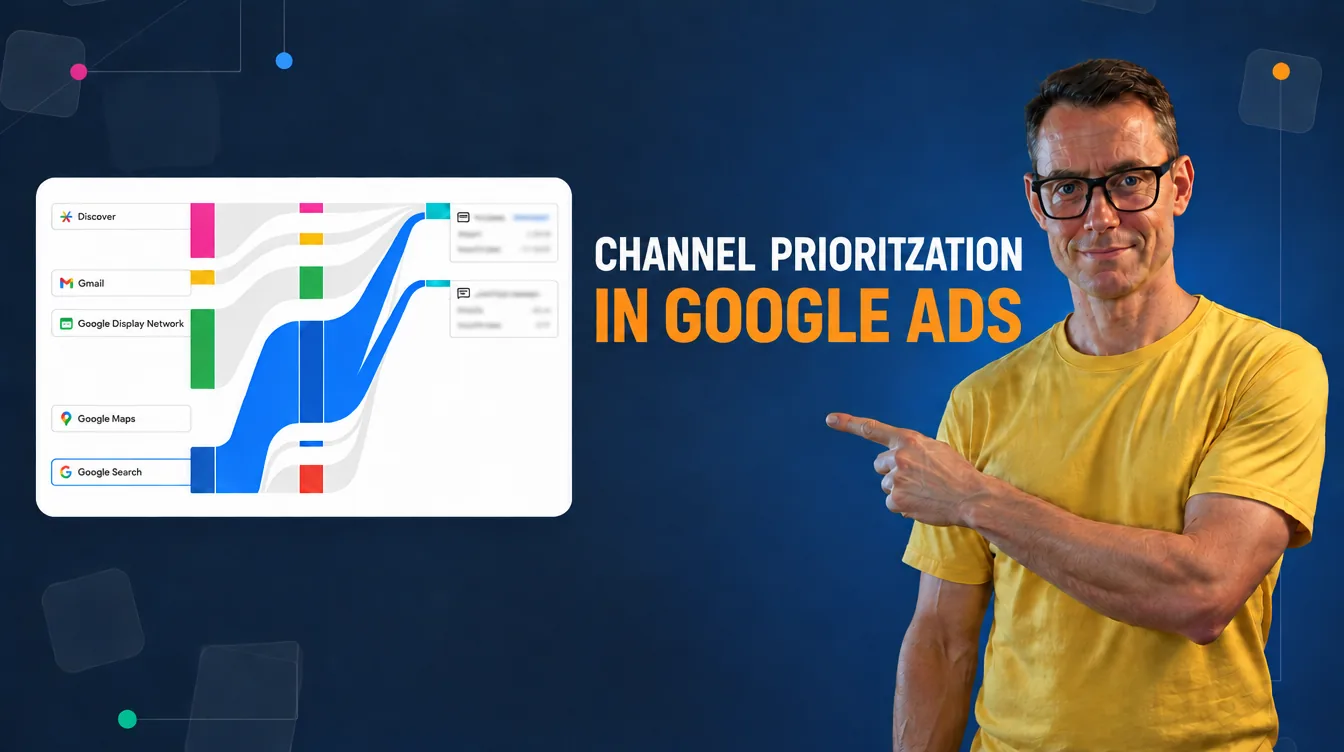
Since its launch, Performance Max has had the same bad reputation: a “black box” into which you throw your budget and pray for results. In 2025 and 2026, Google gradually made much more detailed reporting and new control tools available-but that does not mean the problem has disappeared. In this article, I show what specifically has changed, what these changes do not solve, and how to check it in your own account instead of taking either Google or industry articles at their word (including this one). Do you remember the script by Mike Rhodes? It is interesting what impact, if any, it had on showing channels in PMAX.
Table of contentsExpand
Introduction – greater visibility is not the same as full control
The most common complaint about Performance Max has sounded the same from the very beginning: brand cannibalization. Google may attribute to PMax conversions that would have happened anyway-because someone typed your company name into the search engine, and a standard branded Search campaign could often have captured some of that traffic at a lower CPC. However, this does not automatically mean that every conversion attributed to PMax was “stolen” by that campaign-it is a real problem, but-as I show below-the evidence for its scale is much more ambiguous than some articles with “one magic number” suggest.
In 2025 and 2026, Google added real tools to Performance Max: more accurate channel reporting, campaign- and account-level negative keywords, dedicated brand exclusions, and an expanded search terms report. These are solid improvements. However, none of them replace robust conversion tracking, a well-structured product feed, or incrementality testing and that’s what the second half of this article covers.
What actually changed in 2025–2026
Greater channel visibility-but not full attribution
For a long time, Performance Max did not offer sufficiently detailed, stable reporting on the share of individual channels. The “Channel performance” report shows the breakdown into Search, YouTube, Display, Discover, Gmail, Maps, and Search Partners, along with a downloadable table of clicks, conversions, and cost. Search Partners segmentation joined this report at the turn of 2025 and 2026-the exact rollout scope (which accounts, exactly when) is best checked in your own account, because industry sources give slightly divergent dates for this particular change, and you know yourselves that one panel is not always identical to another at the same time
Caveat: Channel performance is an aggregated report, not full, independent attribution. Cost and ROAS assigned to channels depend on the attribution model and conversion definitions. The report should therefore not be interpreted as a channel ranking that shows where the advertiser should allocate a larger budget-within a single PMax campaign, you cannot manually determine the budget share for Search, YouTube, or Display. Google allocates the budget automatically, taking into account the predicted return from the next unit of spend, i.e. marginal ROI. A channel with a lower average ROAS may therefore receive a larger share of the automatically allocated budget if the system predicts a higher marginal return there. The report is primarily used to diagnose campaign performance and assess the role of individual channels, not to manually control their budgets.
In practice, more important than the list of channels itself is the search terms report in Performance Max, which today provides significantly more information than before-however, it should not be assumed to be a full equivalent of the Search report. Some queries may still be subject to reporting limitations and privacy thresholds. Even so, it is one of the first places worth checking for traffic quality issues before looking at the split between channels.
Negative keywords: account level and single campaign
Negative keywords in Performance Max work on two levels at once. Those added at the account level automatically cover all Search and Shopping traffic, including PMax campaigns. In addition, Google Ads lets you add negatives directly to one selected Performance Max campaign – with a limit of up to 10,000 keywords for that specific campaign, independent of exclusion list limits and other account limits.
Caveat: negative keywords apply to queries in Search and Google Shopping (PLA). They do not automatically block serving on YouTube, the Display Network, or Gmail.
Brand exclusions
In Performance Max, brand exclusions are primarily used to limit ad serving on brand-related queries in Search and Google Shopping (PLA). However, how they work depends on the campaign type, settings, and features available in a given account. In retail campaigns, Google may allow product ads to remain active for excluded brand queries despite excluding them from the rest of the campaign. Brand exclusions are therefore not a universal way to exclude the brand from YouTube, the Display Network, Gmail, and other channels.
Google automatically accounts for common typos, brand variants, and spellings in other languages and alphabets, so you do not need to manually add every variation of the name without Polish diacritics. However, it is worth monitoring the search terms report, because some mixed or related queries, for example those containing a product name, the founder’s surname, or an additional description, may be interpreted differently from a pure branded query.
The practical difference in when to use what:
| Goal | Most often the right tool |
|---|---|
| Excluding your own brand | Brand exclusion |
| Excluding a specific query (e.g. “jobs”, “reviews”) | Negative keyword |
| Excluding a competitor’s brand | Negative keyword or brand list, after checking the scope of operation |
| Protection against unwanted placements | Placement exclusions and brand suitability settings |
| Limiting a campaign to new customers | First-party data list exclusions |
One pitfall that is not talked about: excluding your own brand may also limit valuable mixed queries, e.g. “brand + competing product”, “brand + promotion”, or local queries with the company name. It is worth checking this in the search terms report after implementation, rather than assuming in advance that the exclusion applies only to “pure” branded queries.
Asset experiments
Google provides experiments comparing two asset sets: a control set and a test set within a single asset group. A test within the same campaign reduces some structural differences between variants, but it does not guarantee a quick or unambiguous result. You still need a sufficient number of impressions and conversions, as well as time to account for conversion lag. It is a useful tool for testing creatives, but it covers only one asset group at a time and is not an independent incrementality test for the entire campaign.
Customer list exclusions
You can exclude specific first-party data lists, e.g. existing customers, so that a campaign focused on acquiring new customers does not spend budget on ads targeted at people who would probably have purchased anyway. Before you implement this, remember a few limitations: the list must meet Customer Match requirements, not every user will be recognized and matched, and an exclusion does not guarantee that no one from that list will see an ad. You also need to deliberately choose the period covered by the list, for example purchasers in the last 30, 90, or 180 days, and determine whether the campaign’s goal is truly only to acquire new customers. In campaigns focused on retention or upselling, excluding existing customers would be a mistake.
Demographic and device controls
The scope of demographic and device controls in Performance Max is expanding, but the availability of specific features depends on the account, country, campaign objective, and rollout stage-you should not equate merely being able to see demographic data in reports with full, precise targeting exclusively to selected groups.
Waze-an additional channel for store goals
Waze applies to Performance Max campaigns with store goals and local conversion actions, such as store visits, in-store sales, or directions to a location. It is not a generally available channel for every PMax campaign, and the availability of specific goals depends on account and market eligibility-Poland is among the supported markets. If you run an online sales campaign without local goals, this change simply does not apply to you.
Attribution and incrementality-why brand share is not proof of cannibalization
This is where the most common mistake in discussions about Performance Max occurs, so it is worth separating three different concepts:
- Reported conversion – a conversion that Google Ads attributed to a given campaign.
- Branded conversion – a conversion after a query related to your brand.
- Incremental conversion – an additional conversion that most likely would not have happened without that ad.
A high brand share in reported PMax conversions is not, in itself, proof of cannibalization – it may be, but it does not have to be. According to an analysis by Haus, a company specializing in incrementality measurement, excluding brand generated on average 24% more incremental revenue across the full set of tests, although both strategies (exclude or not exclude) won in roughly half of the experiments. In tests where customer acquisition cost (CAC) was measured, excluding brand produced a lower CAC in all of them-the average difference was 40%, with a range from 19% to 60%. Brands with a higher average order value benefited more often from keeping brand in the campaign. The full methodology and sample characteristics (number of accounts, industries) are not publicly described in enough detail to treat these numbers as a universal benchmark.
Practical conclusion: there is no single, universal answer of “always exclude brand.” To assess this in your own account, you need a controlled test, not just a look at brand share in the report:
- Introduce the exclusion in a controlled way-preferably through an official experiment, a geo test, or a pre-planned test period. Do not mechanically compare two parallel PMax copies competing with each other – they will be competing for the same traffic, sharing data, and resetting the algorithm’s learning.
- Maintain a parallel branded Search campaign if it is needed for business reasons (e.g. to defend against competitors bidding on your name).
- Compare total transactions, revenue, and margin – not just the CPA of PMax itself.
- Run the test for long enough to let the campaign learning effect settle (usually a few weeks, not a few days).
The strongest solution is a test with a control group (holdout) – some geographically or randomly selected areas receive the campaign variant with brand, some receive the variant without brand, and in an ideal setup an additional group receives no Performance Max at all. This makes it possible to distinguish the impact of brand itself from the overall impact of the campaign. This is exactly the kind of setup (a so-called 3-cell test: PMax with brand / PMax without brand / holdout without PMax) that Haus describes in its case study of one of its clients.
A “before and after” comparison is a weaker method because the result may change due to seasonality, competition, prices, feed, budget, or conversion lag – not just the brand exclusion itself. And to be clear: the asset experiments described above are a test of two creative sets within one campaign, not an incrementality test of brand cannibalization – these are two different tools for two different questions.
Decision-making framework – when Performance Max, when Search, when both
As a rough guide, 30–50 conversions per month gives the automated bidding system enough data to learn. However, this is not an official Google threshold, but a practical rule of thumb. The length of the purchase process, data quality, and how many conversions fall within a specific campaign also matter. Below this level, a campaign may operate less stably and it will be harder to assess its effectiveness, but that does not mean it will not work at all.
The most important factor affecting results is not the budget anyway, but the quality of conversion measurement itself. If data in GA4 and Google Ads differ from each other (which is natural due to the different methodologies of these systems), PMax may optimize bids based on signals other than the ones you assume. Before you start evaluating the effectiveness of the Performance Max campaign itself, it is worth making sure that tracking on both sides is fully correct.
Whether PMax and Search should run together depends on the business model:
| Campaign type | Biggest risk | Most important control |
|---|---|---|
| E-commerce | Budget goes to low-margin products or low-quality traffic | Product feed, margin, transaction values, asset group segmentation |
| Lead generation | The algorithm optimizes for cheap, low-quality leads | Import of qualified leads and offline sales |
| Brick-and-mortar / local store | Local conversions are difficult to interpret unambiguously | Store visits, store sales, directions to locations, accurate location data |
Performance Max audit – 15 things to check before evaluating a campaign
Before you decide that “PMax does not work” – or that it works brilliantly – go through this list. I intentionally start with measurement and data, not creatives, because that is where the real cause of poor results most often lies:
- Are conversion goals correctly set as primary, and is there no double-counting of the same event?
- Do transactions have the correct value, currency, and identifier?
- Have you implemented Enhanced Conversions (or Enhanced Conversions for Leads in lead generation)?
- Do you import qualified leads, offline sales, or margin data if it applies to your model?
- Do you have a deliberate brand strategy – brand exclusions, possibly a separate branded Search campaign, and regular monitoring of brand share in the results?
- Do you regularly check the search terms report, not just general search categories?
- Have you checked which landing pages Final URL expansion selects, and whether it is sending traffic to pages that are not relevant to the campaign goal?
- For e-commerce: is the feed in Merchant Center free of errors, with sensible custom labels and up-to-date prices/availability?
- Do asset groups correspond to real categories, margins, or types of intent, instead of one huge group for everything?
- Do you have your own video assets in several aspect ratios (landscape, square, vertical), instead of relying solely on automatically generated ones?
- Have you checked the placement report and brand suitability settings, especially when Display and YouTube have a large share?
- Does the bidding strategy and tCPA/tROAS target correspond to margin, sales cycle length, and data volume, instead of restricting the campaign with an overly aggressive target?
- Is the campaign limited by budget or by an overly high tROAS – and if so, does the conclusion “PMax does not work” actually result from limited auction share?
- Do you account for conversion lag and avoid evaluating the last few days before the data has had time to complete?
- Do you evaluate performance at the level of the entire business (revenue, margin, number of new customers), rather than solely based on the ROAS reported by the PMax campaign itself?
If, after going through this list, you still cannot see where the weak results are coming from, the problem probably lies deeper than the campaign settings themselves – it is worth commissioning a full Google Ads account audit.
FAQ
Frequently asked questions
Not necessarily – it depends on the goal, data, budget, brand share, and measurement quality. Search gives greater control over specific queries and messaging (still), while PMax expands reach to channels that Search does not cover (YouTube, Display, Discover, Gmail, Maps) – however, the range of available channels and formats depends on the campaign objective, settings, and account eligibility; not every channel will be available in the same way for every goal. In practice, I most often see both campaign types running in parallel, each with a different role.
Summary
Performance Max is no longer as opaque as it was just a year ago – the channel report, expanded search terms report, negative keywords (at the account level or for a single campaign), and dedicated brand exclusions provide real tools for campaign management. However, greater reporting visibility does not replace proper conversion measurement, a well-organized product feed, or an incrementality test. Before you assess whether PMax “works,” check these three things in this order: conversion data quality, feed structure and quality (if applicable), and only then creatives and budget distribution across channels (although remember that in PMax you will not be able to change that budget within individual channels anyway).
Bibliography
- Haus – Understanding Google Ads incrementality testing (main source for CAC and incremental revenue data)
- Haus – Caraway Performance Max case study (example of 3-cell/holdout test methodology)
- PPC Land – Haus analysis reveals insights on brand terms in Google Performance Max (supporting source commenting on the Haus analysis)
- Google Ads Help – About the channel performance report for Performance Max
- Google Ads Help – About Performance Max channels
- Google Ads Help – About Search Partner Network full placement reporting
- Google Ads Help – About the search terms report in Performance Max
- Google Ads Help – Negative keywords in Performance Max campaigns
- Google Ads Help – About brand exclusions
- Google Ads Help – Apply brand exclusions to Performance Max or Search campaigns
- Google Ads Help – About Performance Max optimization experiments: Asset testing
- Google Ads Help – About Performance Max for store goals
- Google Ads Help – Find or create placement reports for your Performance Max campaigns
- Google Ads Help – About offline conversion imports
- Google Ads Help – About enhanced conversions for leads

About the author
Radosław Mentel
Certified Google Partner (Ads & Analytics) with over 17 years of experience. For years, I've taught marketing at SGH and judged the best campaigns in Poland as a semKRK Awards judge.
More about me